

Play Jango Casino Registration Requirements
Signing up asks for login details, full name, date of birth and address details, alongside country and currency settings. A phone number is requested, though no SMS check appeared during our tested submission. Age and legal confirmations must also be accepted before the form completes. Since the process runs on the Play Jango casino platform, personal information should match later identity documents where relevant. Finishing registration does not complete KYC, and payment or identity checks may still follow before a withdrawal.
4 Steps to Registration
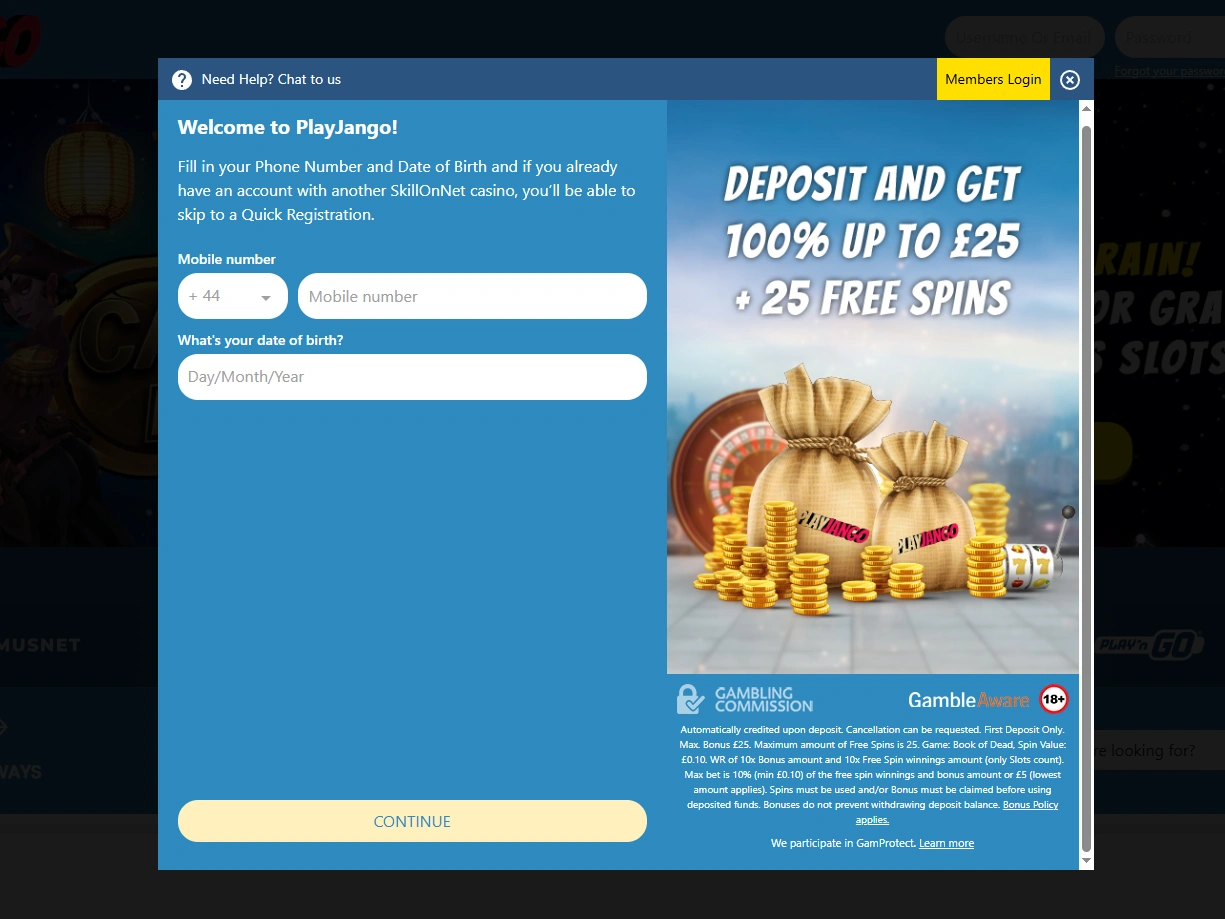
Enter a mobile number with the +44 calling code and a date of birth, then press Continue.
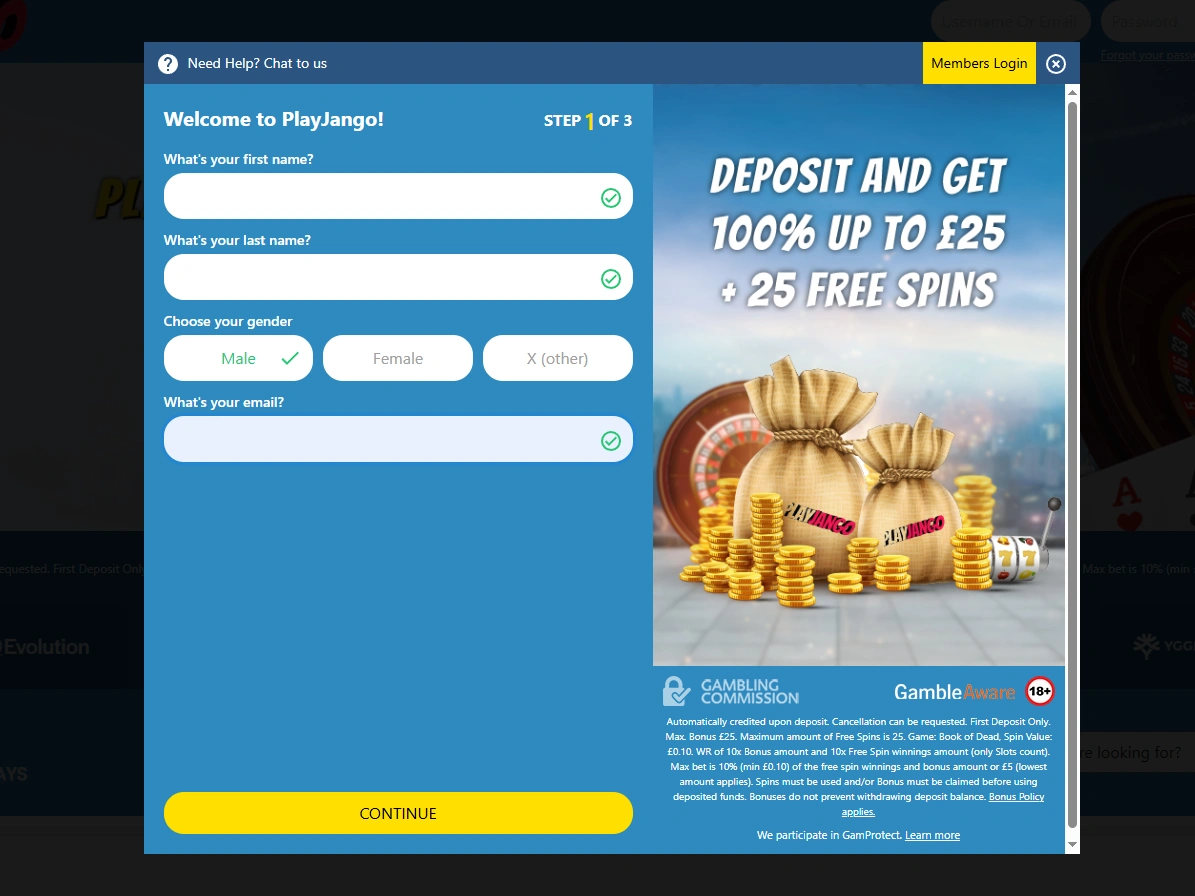
Enter first and last name, select a gender option and provide an email address before continuing.
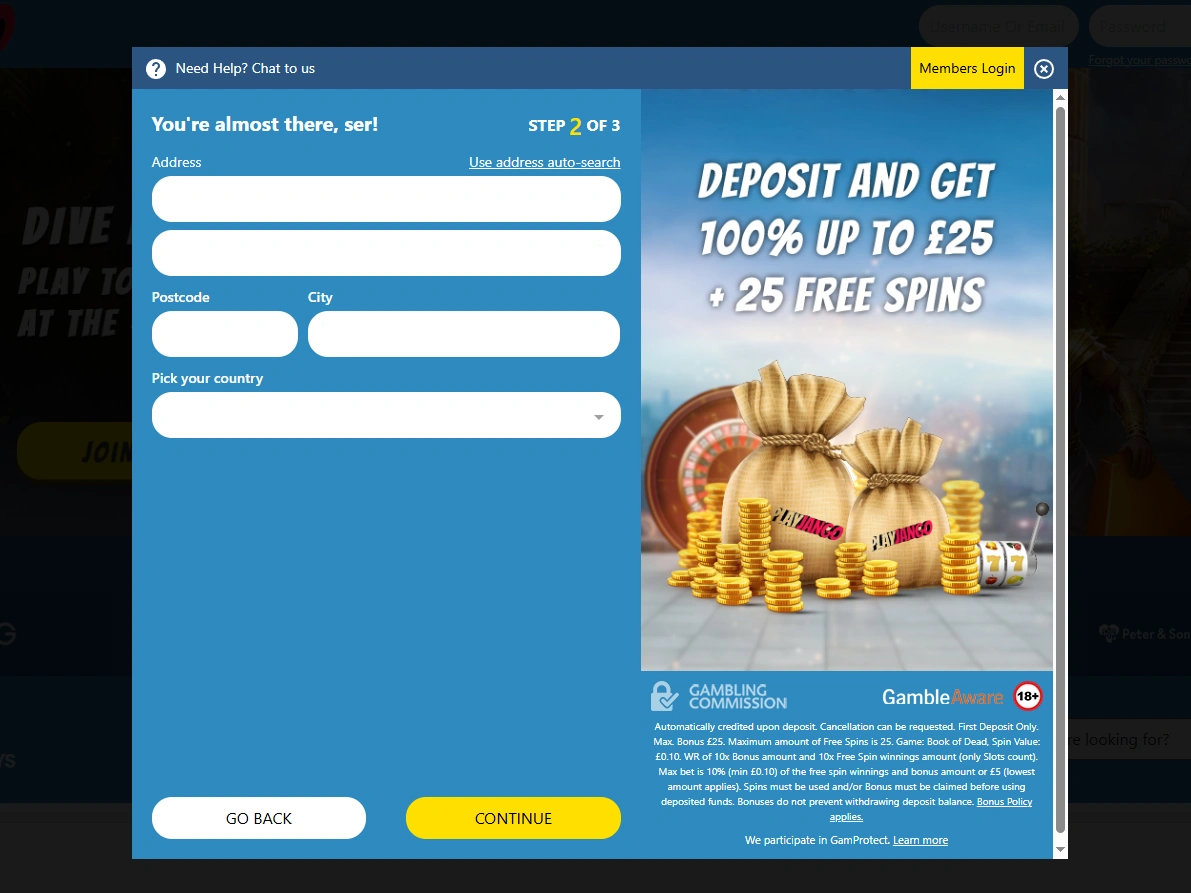
Enter the address, city, postcode and country, using the address auto-search option if needed, then continue.
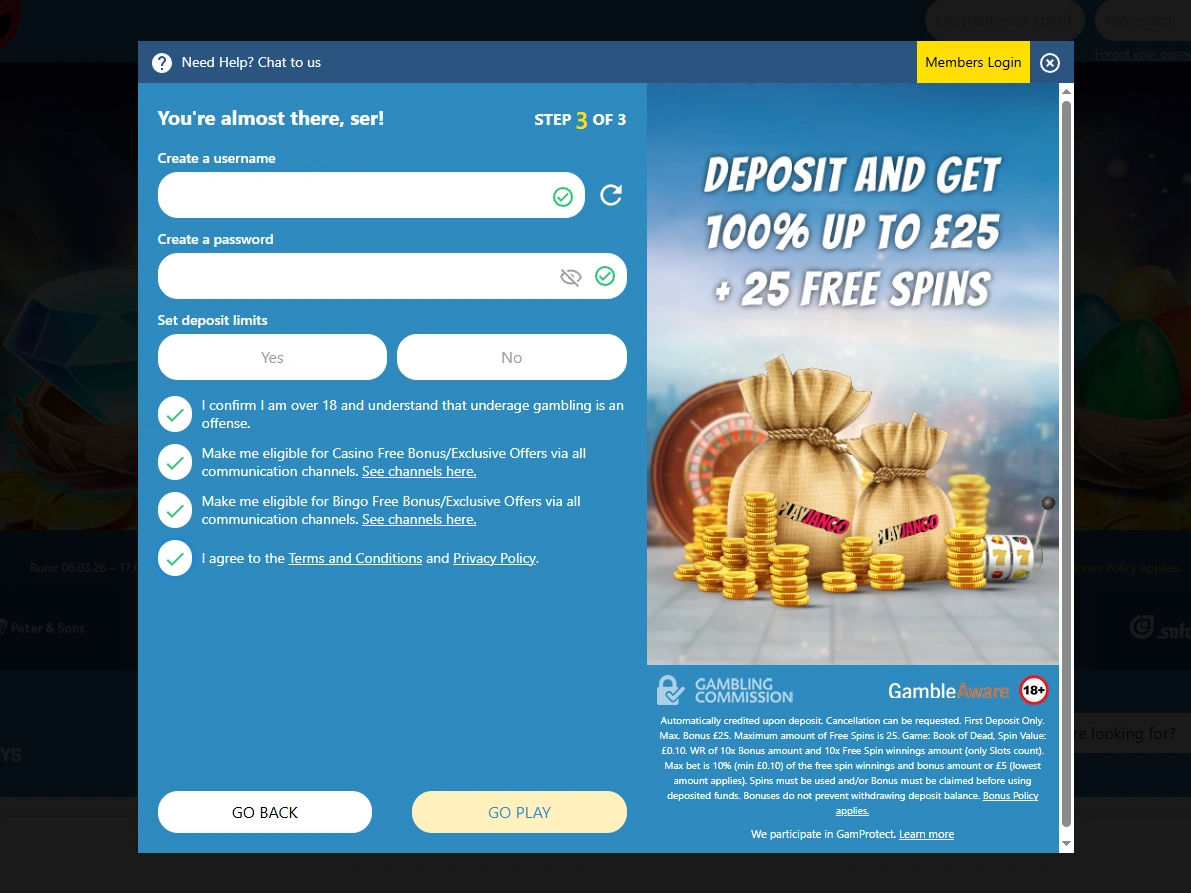
Create a username and password, choose a deposit-limit setting and confirm the displayed age and terms consents.
Play Jango Login for Existing Players
Play Jango login uses the registered email address together with a password. Once signed in, players reach the dashboard, cashier, games and profile settings from one screen. If those details are rejected, password recovery sends reset instructions to the registered inbox.
Login Steps for Returning Players
Returning players sign in using the email and password created during registration.
- Password needed
- Registered email required
- Returning user entry
- Recovery option available
Look for the sign in link within the site navigation.
Type the registered email address and its matching password.
Check the entered details, then submit or use password recovery.
A successful sign in opens the available area for existing players.
Resetting Your Login Password
Forgotten login details for Play Jango can be recovered using the registered email address linked to your profile.
- Go to the login page and choose the password recovery link.
- Enter the registered email address and submit the request.
- Check the inbox, including the spam folder, for reset instructions.
- Follow the email and create a new password before returning to login.
How Play Jango Casino Verifies Player Accounts
Identity and payment verification may be requested before withdrawals are processed, though no guaranteed review timeframe is published. Our review found that this open-ended timing makes the withdrawal timeline harder to predict for players expecting a fixed schedule. Checks can be triggered by a withdrawal request, payment ownership questions or inconsistent account details.
What Can Trigger Verification
A withdrawal request is the most common trigger, alongside payment ownership checks and source-of-funds reviews. Incomplete or inconsistent account details can also prompt further document checks. These reviews sit apart from standard Play Jango banking options, since KYC confirms identity and payment ownership rather than processing the payment itself.
Documents That May Be Requested
- Passport, driving licence or national identity card;
- Recent utility bill, bank statement or other proof of address;
- Payment-method proof, bank statement and source-of-funds documents when requested.
Access Issues Found During Our Play Jango Review
We tested registration, login and recovery steps, then reviewed published verification rules. Together they reveal issues around account details, email access and withdrawal checks.
| Confirmed Finding | Access Risk | Recommended Action |
|---|---|---|
| No identity document upload appeared during registration testing | Registration Confused With Completed KYC | Prepare identity documents before requesting a withdrawal |
| Phone confirmation was not requested during the registration flow | Unconfirmed Phone Number At Sign-Up | Keep the registered phone number accurate for later verification checks |
| The confirmation email arrived after 38 seconds in our test | Delayed Email Confirmation Risk | Check the inbox and spam folder if the email is delayed |
| Published rules provide no guaranteed KYC review timeframe | Unknown Verification Processing Time | Wait for review confirmation before expecting withdrawal approval |
What Players Should Check
Registration details that do not match later documents may create delays. Keeping personal, address and payment records consistent reduces this risk. Mismatched details could extend document review before a withdrawal is approved.